Day31 of #90DaysOfDevOps
Launching your First Kubernetes Cluster with Nginx running
Hi there! I'm Anuj Tomar, an enthusiastic and aspiring DevOps engineer and Cloud engineer with a passion for integrating development and operations to create seamless, efficient, and automated workflows. I'm driven by the challenges of modern software development and am dedicated to continuous learning and improvement in the DevOps field.
What is minikube?
Minikube is a tool that allows you to quickly set up a local Kubernetes cluster on macOS, Linux, and Windows. It simplifies the process of running a single-node Kubernetes cluster, enabling you to experiment and develop without needing to configure a full production-grade cluster.
Minikube supports deployment via a virtual machine (VM), a container, or even on bare-metal. It’s an excellent starting point for those new to Kubernetes, and it's widely used in development environments to simulate real Kubernetes deployments.
Features of minikube
Ans :-
(a) Supports the latest Kubernetes release (+6 previous minor versions)
(b) Cross-platform (Linux, macOS, Windows)
(c) Deploy as a VM, a container, or on bare-metal
(d) Multiple container runtimes (CRI-O, containerd, docker)
(e) Direct API endpoint for blazing fast image load and build
(f) Advanced features such as LoadBalancer, filesystem mounts, FeatureGates, and network policy
(g) Addons for easily installed Kubernetes applications
(h) Supports common CI environments
Task-01: Install Minikube on Your Local Machine
To begin, you’ll need to install Minikube on your local machine. Follow these instructions to get set up:
Visit the Minikube Installation Page for step-by-step instructions tailored to your operating system.
Once installed, verify your installation by running:
minikube version
What is a Pod in Kubernetes?
In Kubernetes, a Pod is the smallest and simplest unit of deployment. It represents a single instance of a running process in your cluster. A pod can contain one or more tightly coupled containers, which share storage, network resources, and a runtime environment.
Pods are designed to host containerized applications that are deployed and managed together. Kubernetes ensures that all containers within a pod are co-located on the same host and share the same lifecycle.
- Pods in Practice: Pods are like application-specific "logical hosts." You can think of them as a unit that holds one or more containers that need to work together and communicate seamlessly within the cluster.
Task-02:Create your first pod on Kubernetes through Minikube.
Now that you’ve set up Minikube, it’s time to launch your first Kubernetes pod! We’ll start with a basic Nginx pod, which will serve a simple web page.
Here’s how you can create the pod:
Start Minikube: First, launch Minikube by running the following command:
minikube start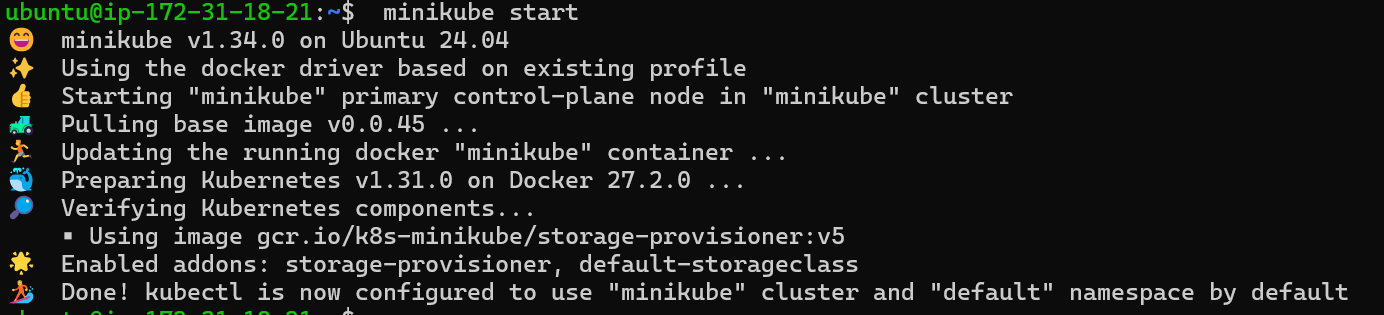
Create an Nginx Pod: Next, create an Nginx pod by using the
kubectlcommand. Here’s the command to create a pod running the Nginx image:kubectl run nginx --image=nginx --restart=NeverVerify the Pod: To check if the Nginx pod is running, use the following command:
kubectl get podsYou should see the Nginx pod listed with its current status.
Expose the Nginx Pod: To access the Nginx web server, expose the pod using a service:
kubectl expose pod nginx --type=NodePort --port=80You can now access the Nginx pod by getting the Minikube IP:
minikube service nginx --url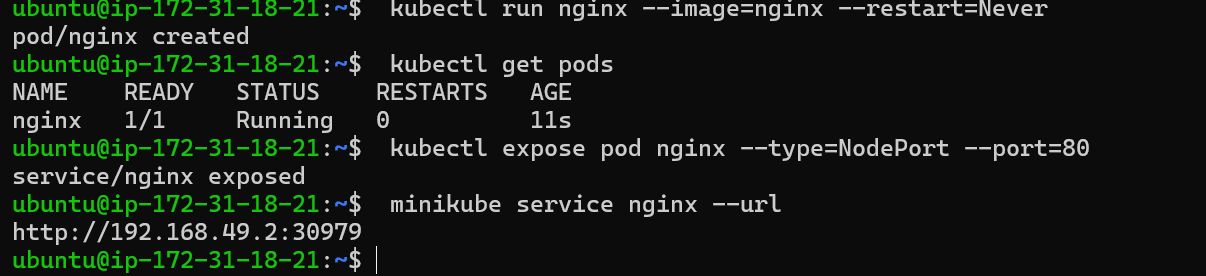
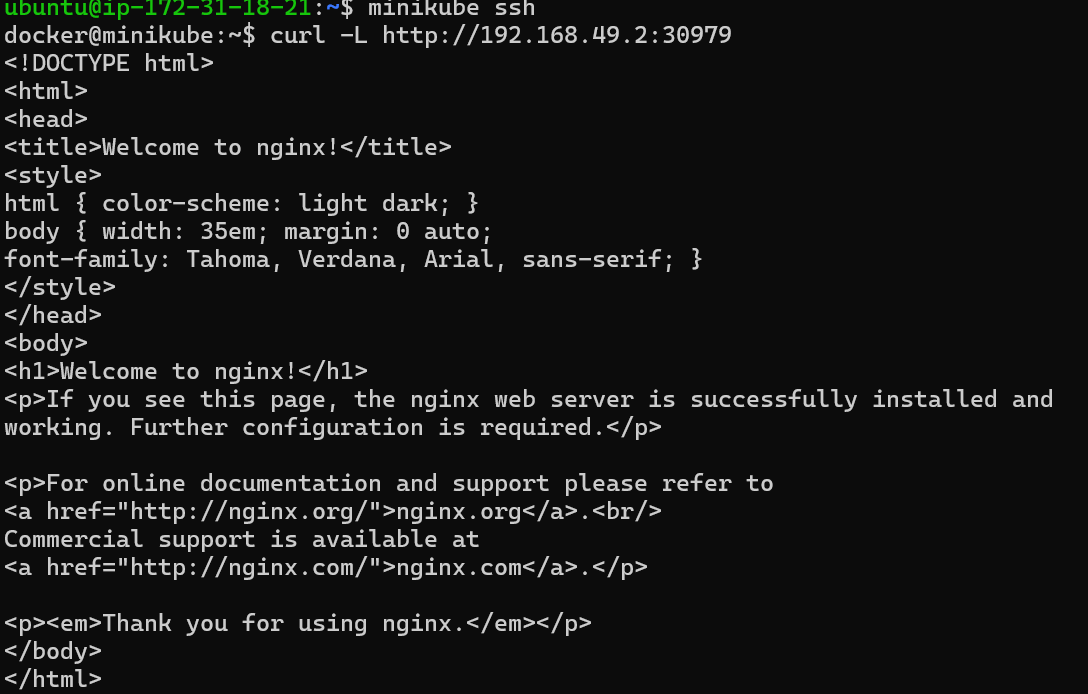
Let's see if, we have to go inside the Kubernetes cluster, minikube makes this quick easy, using this this command to get inside and then use curl to get the data from the IP
minikube ssh

- After that use this command and You can see now that nginx is running inside the pod and you can operate your container
curl -L http://192.168.49.2:30979