Day08 of #90DaysOfDevOps
Enhance Your DevOps Journey with a Shell Scripting Task

Hi there! I'm Anuj Tomar, an enthusiastic and aspiring DevOps engineer and Cloud engineer with a passion for integrating development and operations to create seamless, efficient, and automated workflows. I'm driven by the challenges of modern software development and am dedicated to continuous learning and improvement in the DevOps field.
Shell scripting in Bash is an essential skill for any development environment. It allows for automating tasks, managing systems efficiently, and performing repetitive tasks with ease. In this guide, we will walk through some fundamental concepts of shell scripting with practical tasks to solidify your understanding.
Task 1: Comments
In bash scripts, comments are used to add explanatory notes or disable certain lines of code.

Task 2: Echo
The echo command is used to display messages on the terminal. It's a basic but powerful way to interact with the user and display information.

Task 3: Variables
Variables in bash are used to store data and can be referenced by their name. They help in making scripts dynamic and reusable.

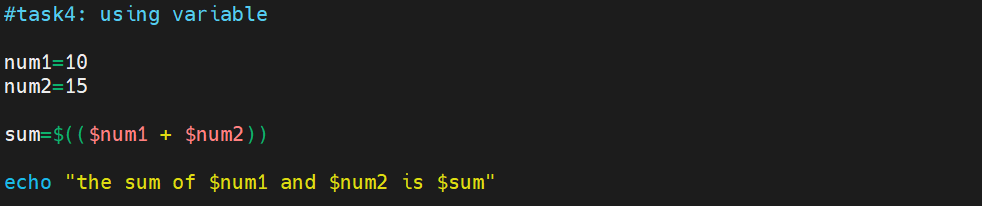
Task 4: Using Variables
Now that you have declared variables, let's use them to perform a simple task. This script takes two variables (numbers) as input and prints their sum using those variables.
Task 5: Using Built-in Variables
Bash provides several built-in variables that hold useful information. Your task is to create a bash script that utilizes at least three different built-in variables to display relevant information.

Task 6: Wildcards
Wildcards are special characters used to perform pattern matching when working with files. Your task is to create a bash script that utilizes wildcards to list all the files with a specific extension in a directory.

Create a single bash script that completes all the tasks mentioned above.
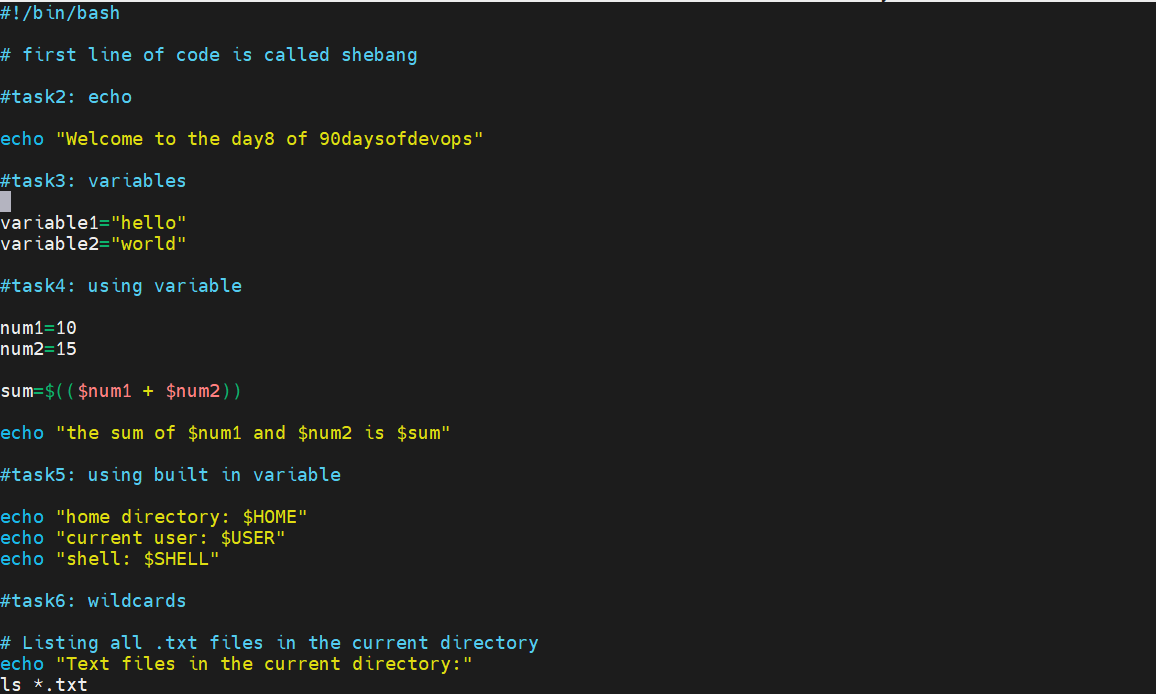
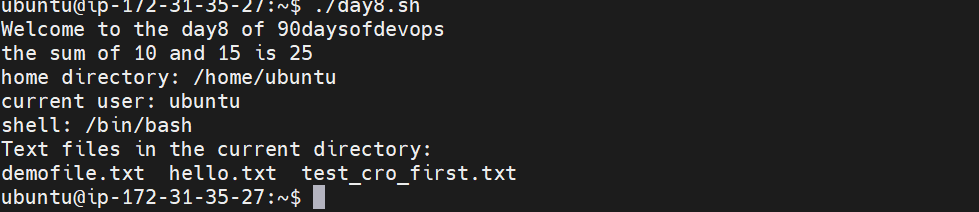
output of the following script is:
I'm confident that this article will prove to be valuable, helping you discover new insights and learn something enriching .
thank you : )

