#Day05 of 90DayOfDevOps
Advanced Linux Shell Scripting for DevOps Engineers with User management

Hi there! I'm Anuj Tomar, an enthusiastic and aspiring DevOps engineer and Cloud engineer with a passion for integrating development and operations to create seamless, efficient, and automated workflows. I'm driven by the challenges of modern software development and am dedicated to continuous learning and improvement in the DevOps field.
Task 1:
Create Directories Using Shell Script:
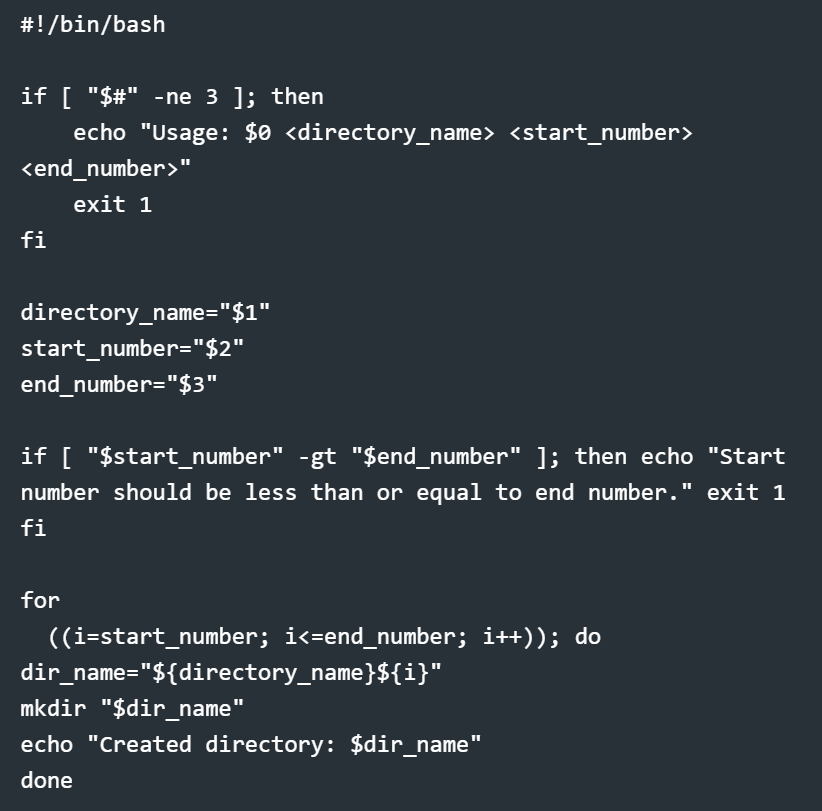
Write a bash script
createDirectories.shthat, when executed with three arguments (directory name, start number of directories, and end number of directories), creates a specified number of directories with a dynamic directory name.Example 1: When executed as
./createDirectories.shday 1 90, it creates 90 directories asday1 day2 day3 ... day90.
Task 2:
Create a Script to Backup All Your Work:
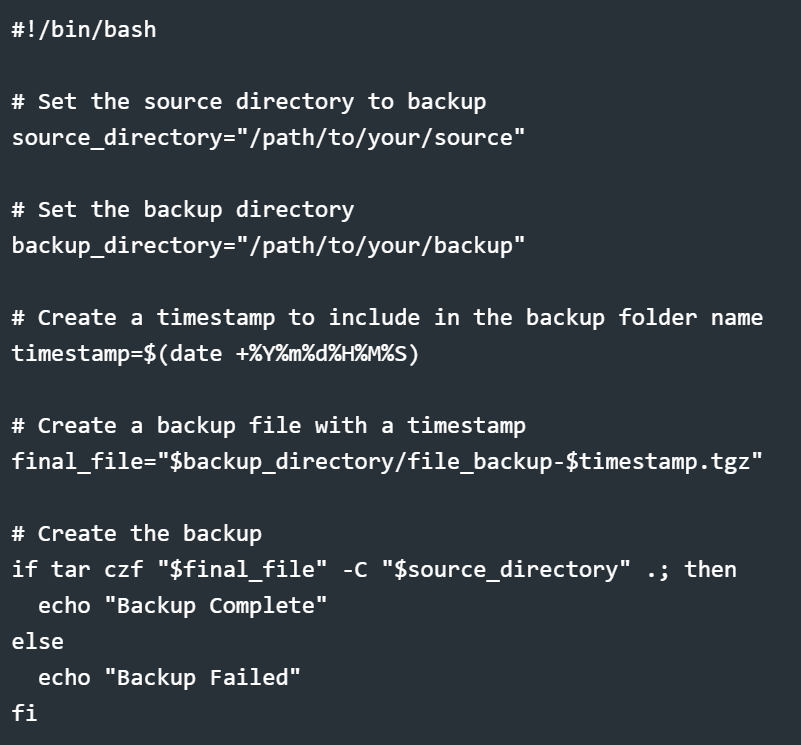
Save this script in a file, e.g., backup.sh, and make it executable using chmod +x backup.sh.
To automate this backup script using Cron, you can add an entry to your user's crontab by running crontab -e and adding a line like this to run the script daily at a specific time:

Task 3:
Read About Cron and Crontab to Automate the Backup Script:
Cron is a Unix-based utility used to schedule scripts or commands to run automatically at specified intervals. It is commonly used to automate tasks like backups, system updates, or periodic reports. Crontab (Cron Table) is a configuration file where you specify the schedule for your jobs. Each user can have their own crontab, and the system can run various scheduled tasks for different users.
Key Concepts in Cron:
Cron Daemon: A background service that runs the scheduled jobs.
Crontab File: A file where cron jobs are defined. You edit it to set up your automated tasks.
Cron Job: A task or script that gets executed at a specified schedule.
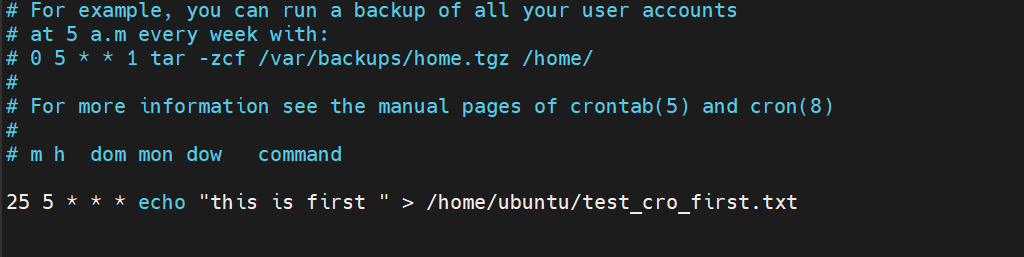

Using Cron for Backup Automation
Now, with the backup script in place and crontab set up, your work documents will be automatically backed up based on the schedule you specify. You can customize the backup interval (e.g., daily, weekly) by adjusting the crontab entry accordingly.
Task 4 :
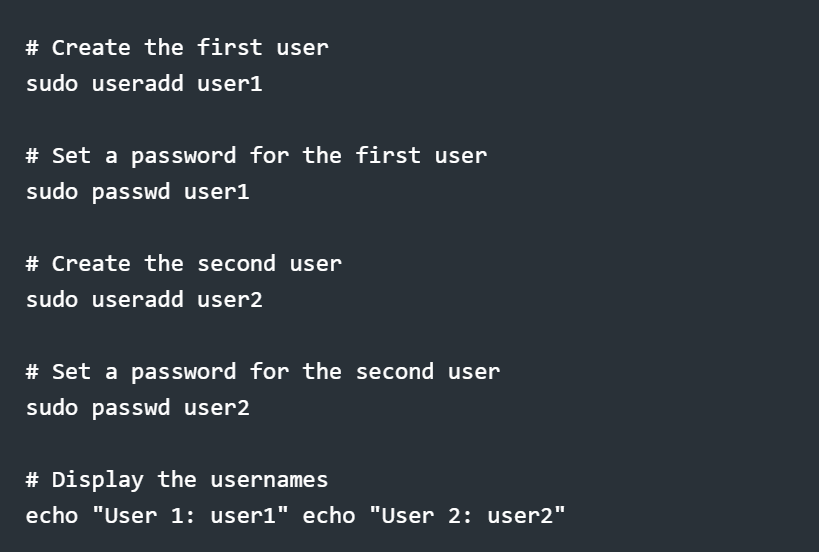
Read About User Management:
User management is an essential aspect of Linux systems, where each user has a unique identity and a set of permissions. Admins use user management to control access, assign roles, and protect the system from unauthorized access. Users can be created, deleted, and managed using various commands.
I'm confident that this article will prove to be valuable, helping you discover new insights and learn something enriching .
thank you : )

